

Email that reads like a conversation.
SortaMail organizes your inbox by person. Every email you've exchanged with someone lives in one thread, in order, just like your messages, so you can follow along at a glance and reply in seconds.
Conversations
Every email with someone, in one place.
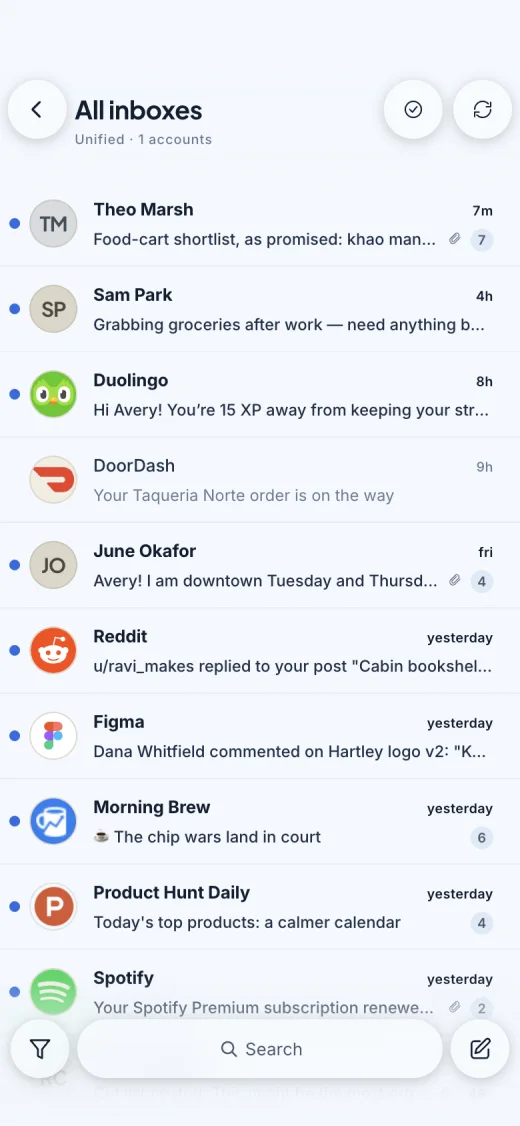
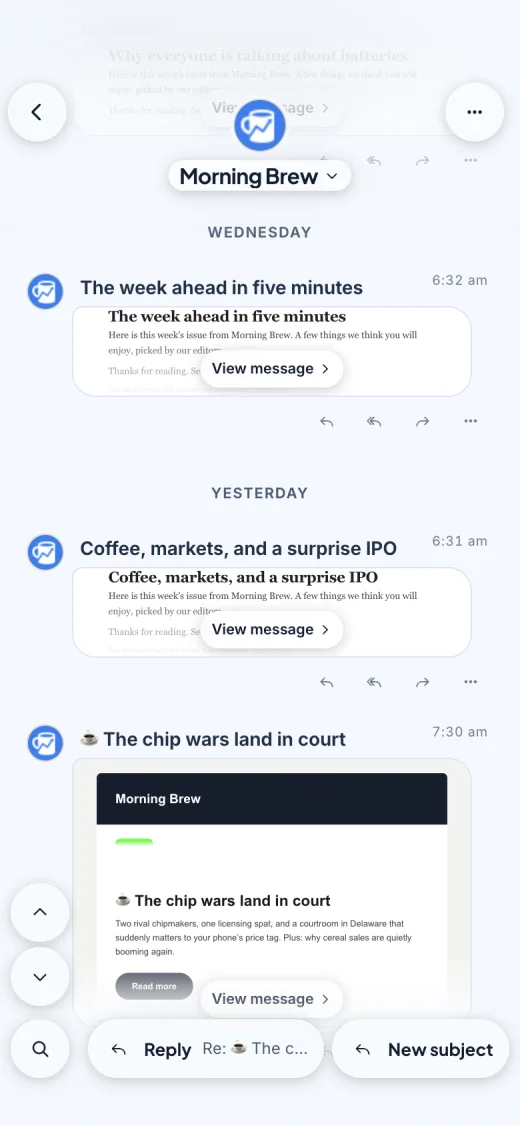
Most inboxes scatter a single conversation across dozens of subject lines. SortaMail keeps everything you've exchanged with a person together in one thread, newest at the bottom, so the whole story is always right there.
- Just what's new. Quoted replies are trimmed, so each message shows only what was actually said.
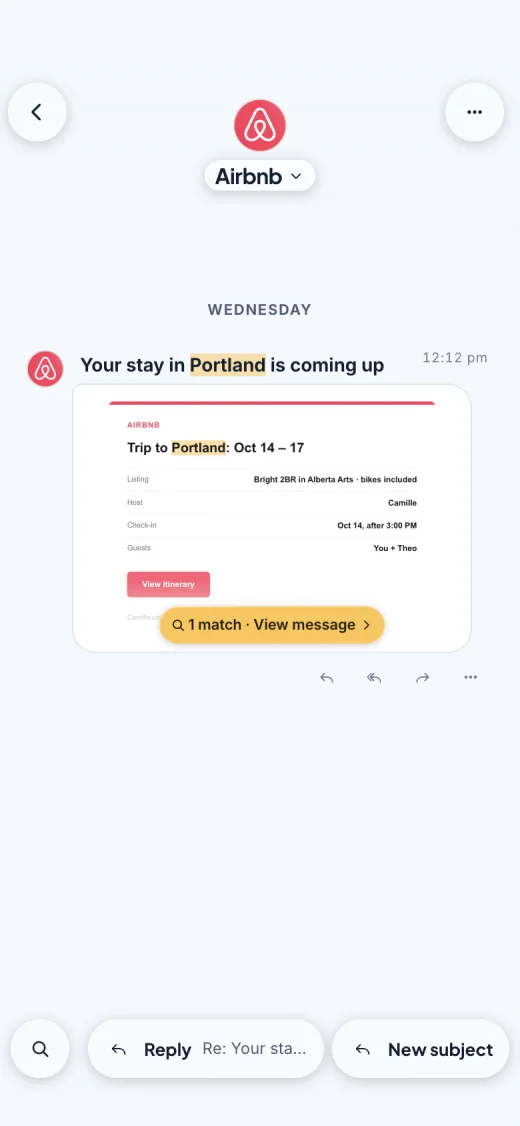
- Newsletters and receipts look right. Designed emails appear as a live preview you can open full screen.
- Read means read. Messages are marked read as you scroll past them, not the moment a thread opens.
- New topics, same thread. Start a new subject with the same people without leaving the conversation.
- Groups stay together. Emails with the same group of people get a thread of their own.
Newsletter Manager Pro
Get your inbox back from newsletters.
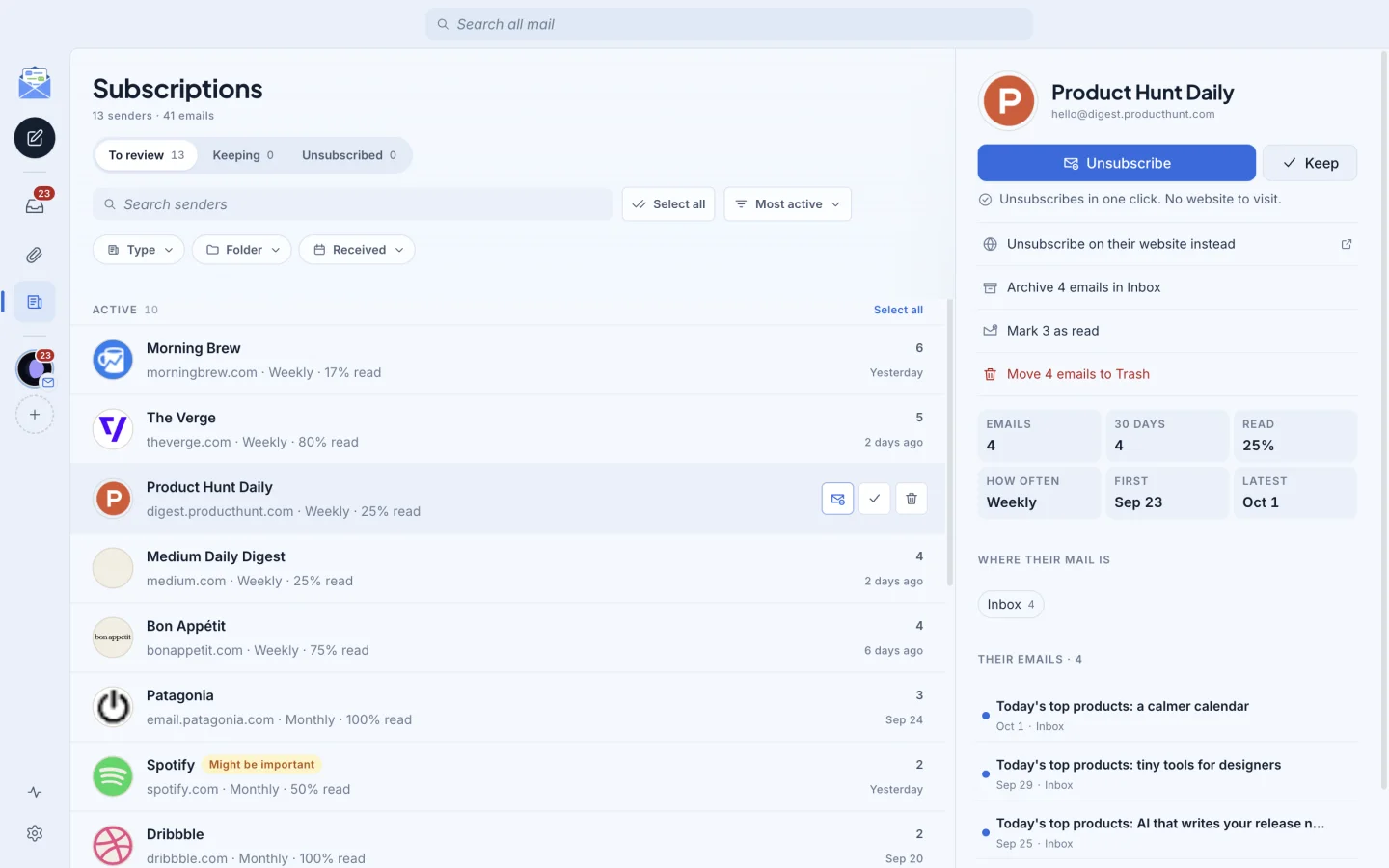
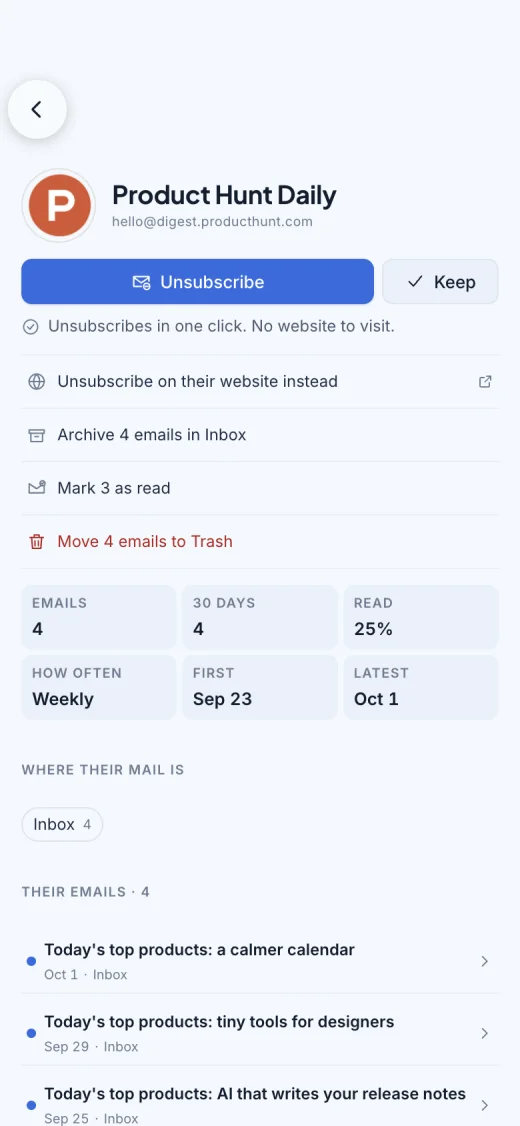
Newsletters, promotions, and digests pile up faster than anyone can read them, and they bury the email that actually matters. The Newsletter Manager finds every mailing list you're on, shows you which ones you actually read, and lets you unsubscribe and clear out the backlog in a few taps. In the app, you'll find it under Subscriptions.
See who's filling your inbox
Every sender on one screen, with how often they write and how much of it you actually read. Senders that went quiet months ago are grouped together for a quick cleanup.
Unsubscribe in one tap
When a sender supports it, one tap does it, with no website to visit. Otherwise SortaMail sends the unsubscribe email for you, or opens the sender's page.
Clear out the backlog
Archive or trash everything a sender has ever sent, or clean up a dozen senders at once. Receipts and account emails are flagged, so nothing important gets swept up.
Themes
Make it yours, on every screen.
SortaMail runs on your phone and your computer, and it looks the way you want on both. Choose from seven themes, from bright and airy to dark and editorial, or let it follow your system's light and dark mode.
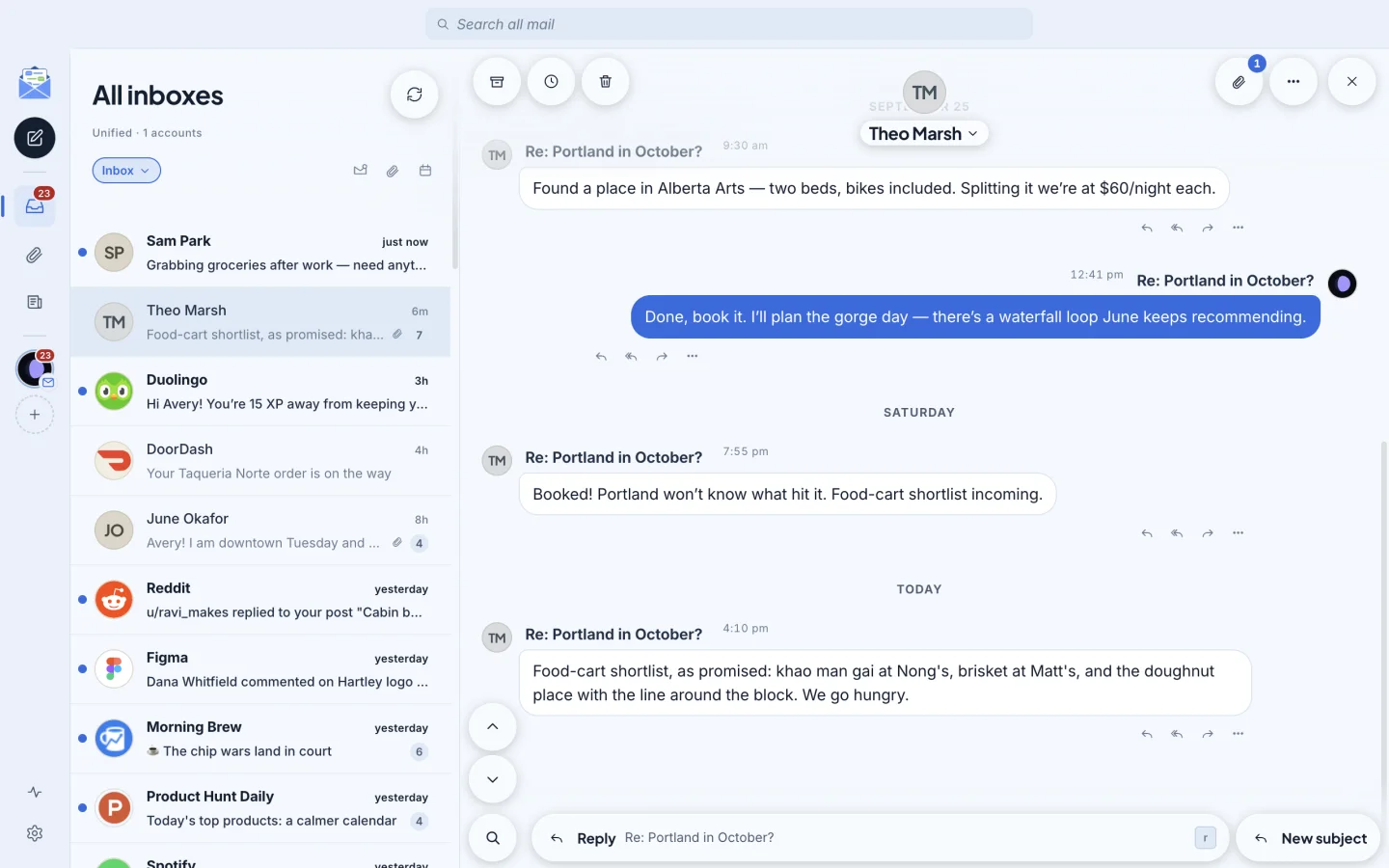
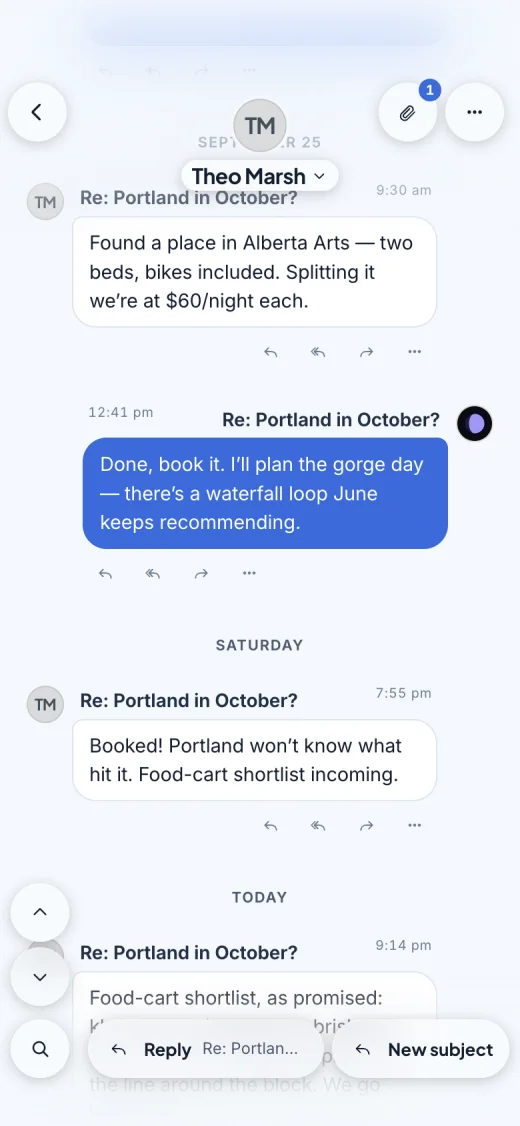
SortaMail Light. Bright and airy, with a clear blue accent.
Search
Find any email in seconds.
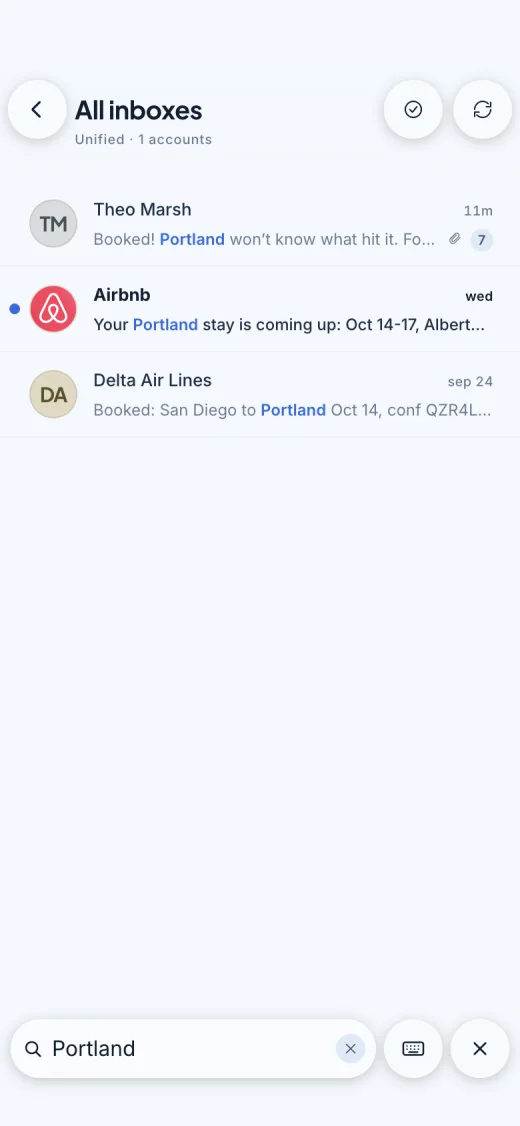
Search every account at once, including names, subjects, the words inside messages, and attachment names. Results open right on the matching message, with your words highlighted.
Your mail is stored on your device, so search is fast and works even without a connection. In a long thread, find-in-thread narrows it down to just the messages that match.
Attachments View Pro
Every attachment, from every account.
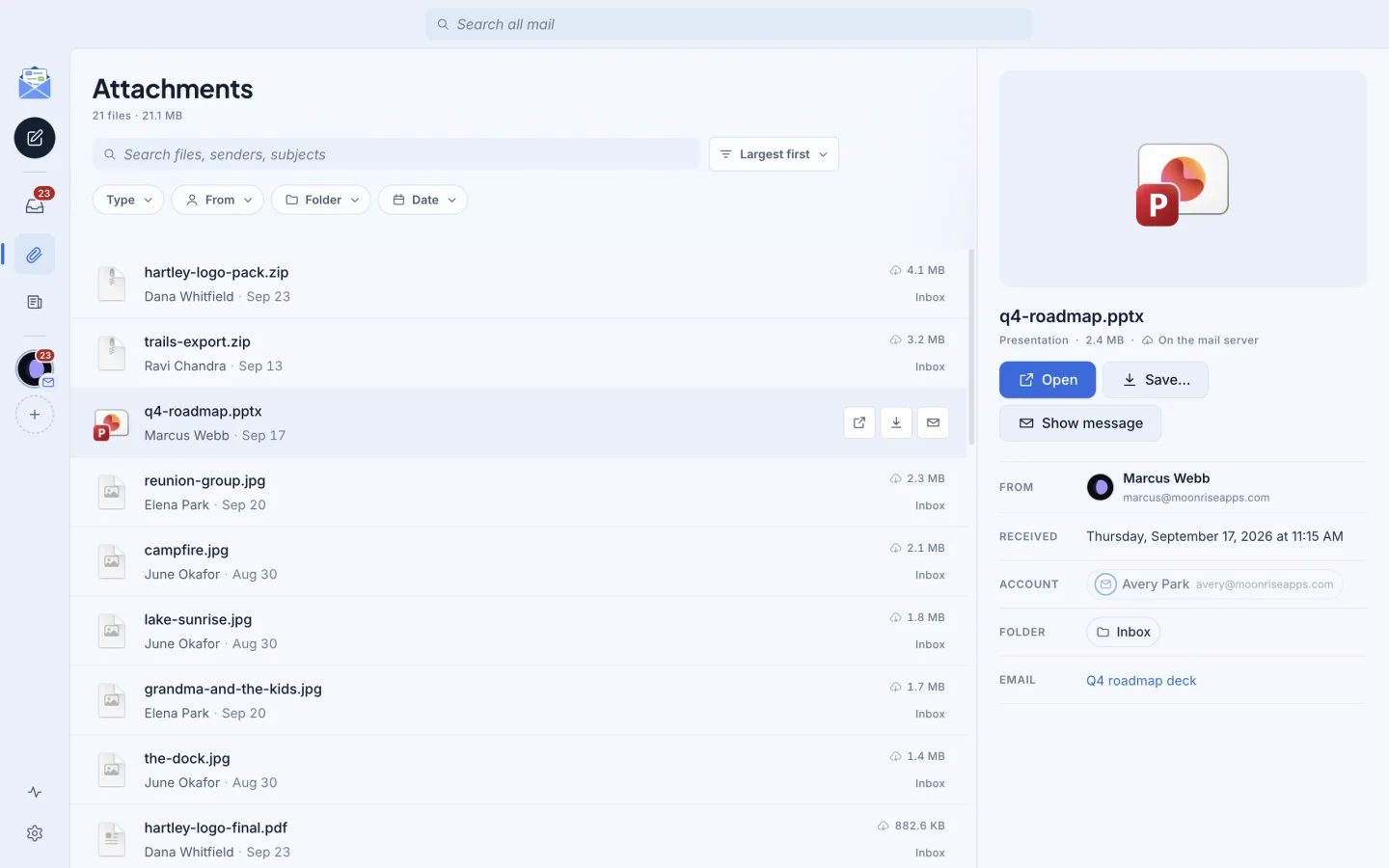
No more scrolling back through old threads to find a file. The Attachments View gathers everything anyone has sent you into one searchable list. Filter by type, sender, or date, sort by size, and jump straight to the email a file came with.
- Light on storage. Files download only when you open them, so they don't fill up your phone.
- Open, save, or share. Save a whole batch to a folder on your computer, or share straight from your phone.
Features
Everything you'd expect from your email app.
SortaMail covers the essentials, so it can take over from the app you use today.
- Snooze
- Set a thread aside until later today, tomorrow, the weekend, or a time you choose. If they reply first, it comes back early.
- Undo
- Archive, trash, move, and snooze can all be undone for a few seconds, so a slip is never a problem.
- Swipe actions
- Swipe a thread to archive, snooze, or trash it on your phone. Long-press to select several at once.
- Keyboard shortcuts
- On the desktop, write, reply, archive, snooze, and move through your inbox without reaching for the mouse.
- Works offline
- Read, search, and write without a connection. Mail you send waits in the outbox and goes out when you're back online.
- Always in sync
- Read, archive, or delete in SortaMail and it happens on your mail server too, so every device and app stays up to date.
- Aliases and signatures
- Send from any of your addresses. Replies go out from the address an email was sent to, with the right signature.
- Spam controls
- Report spam in one tap and rescue messages flagged by mistake, on Gmail, Outlook, and IMAP accounts alike.
- Tidy notifications
- On your phone, new mail arrives as a single notification that updates as more comes in, instead of a stack of alerts.
Accounts
Works with the email you already have.
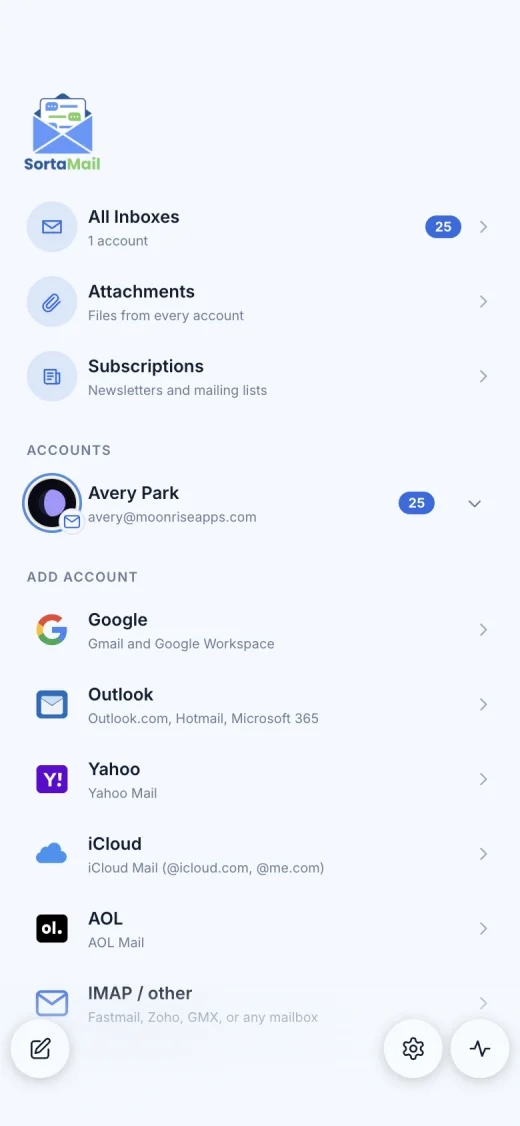
Gmail and Outlook use Google's and Microsoft's own sign-in pages, so SortaMail never sees those passwords. For iCloud, Yahoo, and AOL, SortaMail walks you through creating an app password. Any other mailbox, including one on your own domain, connects over IMAP.
Nothing changes for the people you write to. They get regular email from your regular address.
- Gmail
- Google Workspace
- Outlook.com
- Microsoft 365
- iCloud Mail
- Yahoo Mail
- AOL Mail
- Fastmail
- Any IMAP mailbox
Have more than one account? See each on its own, or all of them together in All Inboxes. Pro
Privacy
Private by design.
Most email apps route your mail through their own servers. SortaMail doesn't have any. It connects your device directly to Google, Microsoft, or your mail provider, keeps your mail on your device, and protects your sign-ins with your device's secure keychain.
There are no SortaMail accounts, no analytics, and no ads, so there's nothing about you on our side to leak, sell, or hand over.
What leaves your device, and where it goes
- Your email
- Only to your mail provider, over an encrypted connection. Never to us.
- Passwords and sign-ins
- Nowhere. They stay on your device, encrypted with a key from its secure keychain.
- Analytics, ads, tracking
- None. SortaMail has no analytics, no ads, and no tracking code.
- Sender pictures
- To show photos and logos next to senders, SortaMail asks Gravatar, using a scrambled form of the sender's address, and looks up the sender's domain and website. Your email's contents are never sent.
- Pictures inside emails
- Load from the sender's servers when you open an email, as in most mail apps. That can let a sender know you opened it.
Pricing
Free while in beta.
Everything in SortaMail is free during the beta, including Pro features. At launch, there will be a free version and SortaMail Pro.
SortaMail
Free
- One email account
- Conversations, search, snooze, and every other feature not marked Pro
- All seven themes
SortaMail Pro
Pricing announced at launch
- Everything in SortaMail
- Multiple accounts and All Inboxes
- Newsletter Manager, for one-tap unsubscribing and cleanup
- Attachments View, every file from every account in one place
Download
Get SortaMail.
SortaMail is in beta. iPhone users can join today. Android and desktop are in smaller tests, so request access and we'll save you a spot.
iPhone and iPad
Public beta, open now
Install Apple's TestFlight app, then join the SortaMail beta from your iPhone.
Join on TestFlightAndroid
Testing on Google Play
Request an invite and we'll add you to the Google Play test.
Request Android accessMac, Windows, Linux
Coming soon
The desktop app is in private testing. Request access to be first in line.
Request desktop accessFrequently asked questions
Can SortaMail replace my current email app?
Yes. SortaMail handles reading, writing, search, folders, spam, snooze, signatures, and more. Your mail stays with your provider, so everything stays in sync, and you can use SortaMail alongside other apps or switch back at any time.
Do I need a new email address?
No. SortaMail is an app for the email you already have. The people you write to get normal email from your normal address, and they don't need SortaMail.
Does SortaMail store my email on its servers?
No. There are no SortaMail servers. Your mail moves directly between your device and your email provider, and the copy SortaMail keeps is stored only on your device. The privacy policy lists every connection the app makes.
Which email accounts work?
Gmail and Google Workspace, Outlook.com and Microsoft 365, iCloud, Yahoo, and AOL, plus any service that offers IMAP, such as Fastmail, Zoho, GMX, or a mailbox on your own domain.
What happens to my folders and labels?
They stay exactly where your provider keeps them. SortaMail shows your folders and Gmail labels, and when you archive or delete in SortaMail, the same thing happens on the server. If you have rules that file mail into folders, you can choose which of those folders should still show up in your inbox.
How much does it cost?
It's free during the beta. After launch, SortaMail stays free for one account. SortaMail Pro adds multiple accounts with All Inboxes, the Newsletter Manager, and the Attachments View. Pricing will be announced before launch, and beta testers will hear first.
How do I remove my data?
Remove an account in SortaMail's settings and its mail and saved sign-in are deleted from your device. Uninstalling the app removes everything. For Gmail, you can also remove SortaMail's access in your Google Account at any time.
How do I get help?
Visit the support page or email support@sortamail.app. A person reads every message, and feature ideas are always welcome.